
SHT41 · ARDUINO · ESP32
SHT41 Arduino ESP32 Guide: Wiring, I2C Code and Troubleshooting
The direct answer
Connect the SHT41 breakout to the classic ESP32 using 3.3 V, GND, GPIO21 (SDA) and GPIO22 (SCL).
Then follow this sequence: scan for 0x44 → send 0xFD → wait for conversion → read six bytes → verify both CRCs. The two sketches below take you through the scan and measurement separately.
NYFEA supplies electronic components, including temperature and humidity sensors. This guide is for engineers bringing up an Espressif ESP32-DevKitC with an Adafruit SHT41 breakout (product 5776) in Arduino IDE. Steps 1–4 lead to temperature and humidity output in Serial Monitor. Step 5 checks whether the assembled device measures the intended air. If a read fails, use the troubleshooting table.
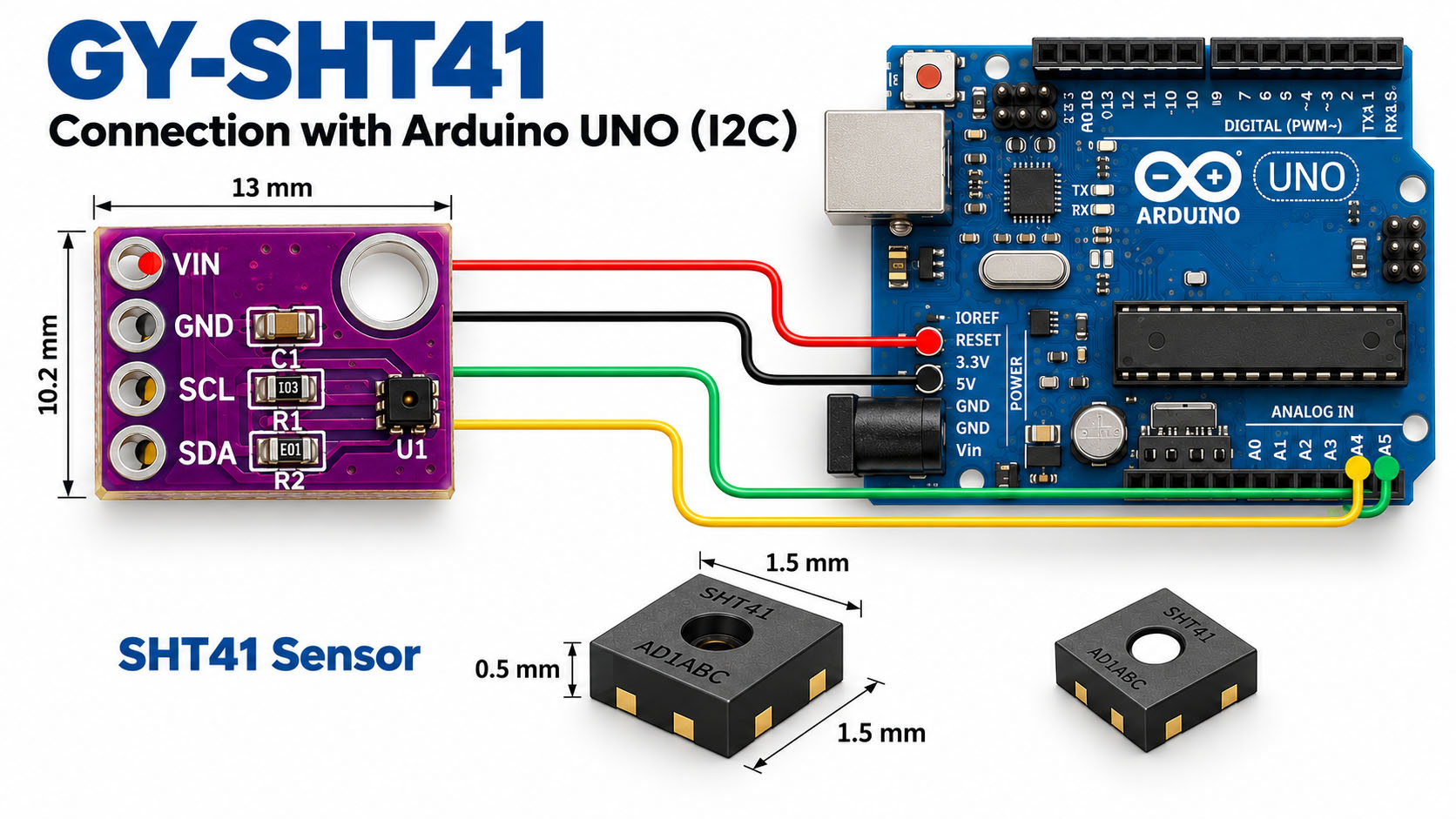
What you need
- An Espressif ESP32-DevKitC with a classic ESP32
- An Adafruit SHT41 breakout (product 5776)
- Jumper wires
- A USB data cable
- A computer with Arduino IDE
The example uses GPIO21 for SDA and GPIO22 for SCL. Pin assignments can differ on ESP32-S3, ESP32-C3, ESP32-H2 and individual development boards. Check the pinout for your exact board before adapting the sketches.
Check the breakout board before connecting power
Check the chip and the breakout separately. The SHT41 chip operates from 1.08 V to 3.6 V. A breakout may add a regulator, pull-ups or level shifting; its input requirements depend on that board's circuit.
For the Adafruit breakout used here:
- Power: connect ESP32 3V3 to the breakout's VIN, not its 3V regulator output.
- I²C: SDA and SCL already include level shifting and 10 kΩ pull-ups.
- Another module: verify its schematic and printed pin labels before using this connection table.
Check existing pull-ups before adding more. Parallel pull-ups reduce the effective resistance and increase the current a device must sink when it pulls the line low. The named breakout already has a pair.
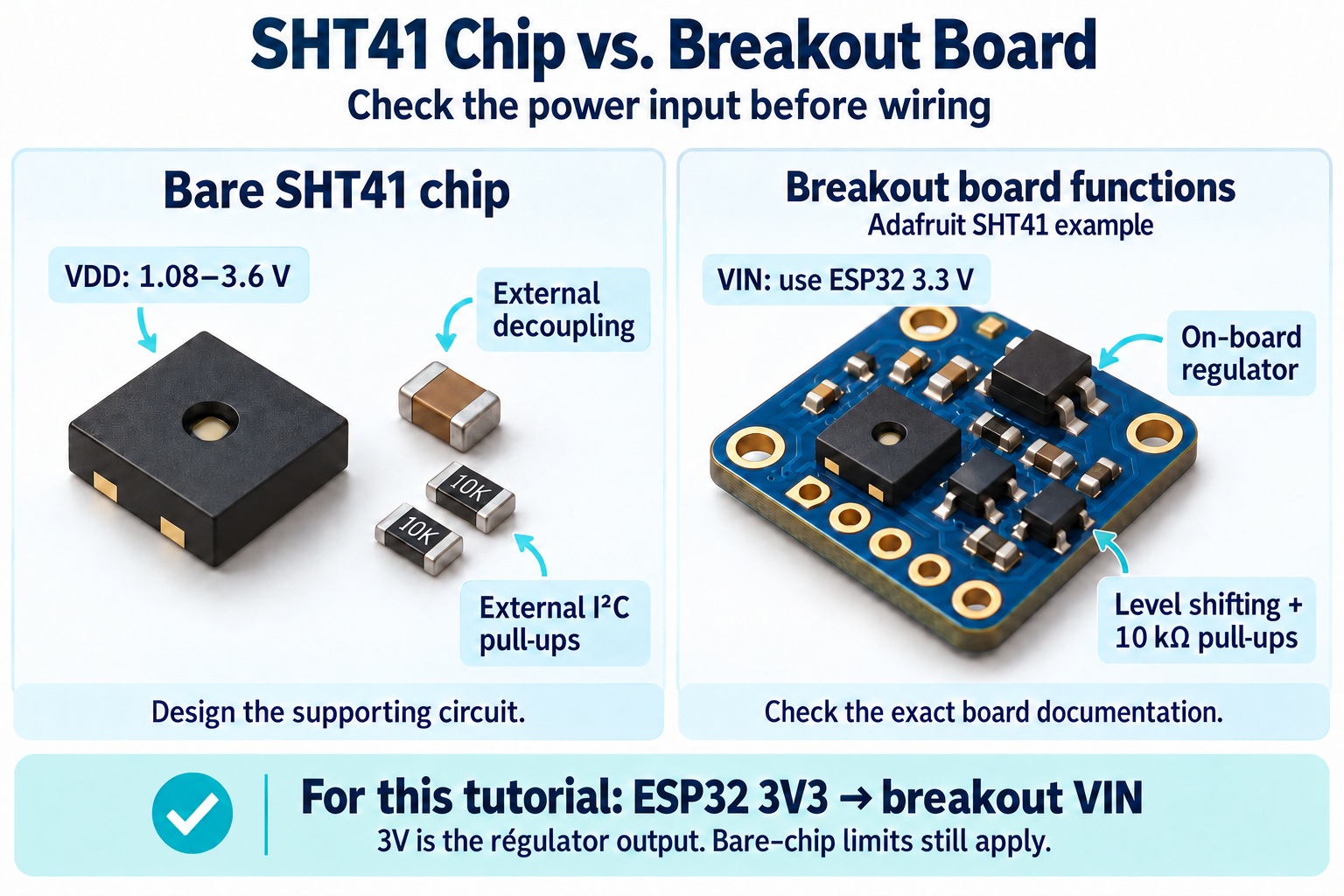
Step 1: Wire the SHT41 to the ESP32
Disconnect USB power before making the connections.
| Adafruit SHT41 breakout | ESP32-DevKitC | Function |
|---|---|---|
| VIN | 3V3 | Breakout supply |
| GND | GND | Common ground |
| SDA | GPIO21 | I²C data |
| SCL | GPIO22 | I²C clock |
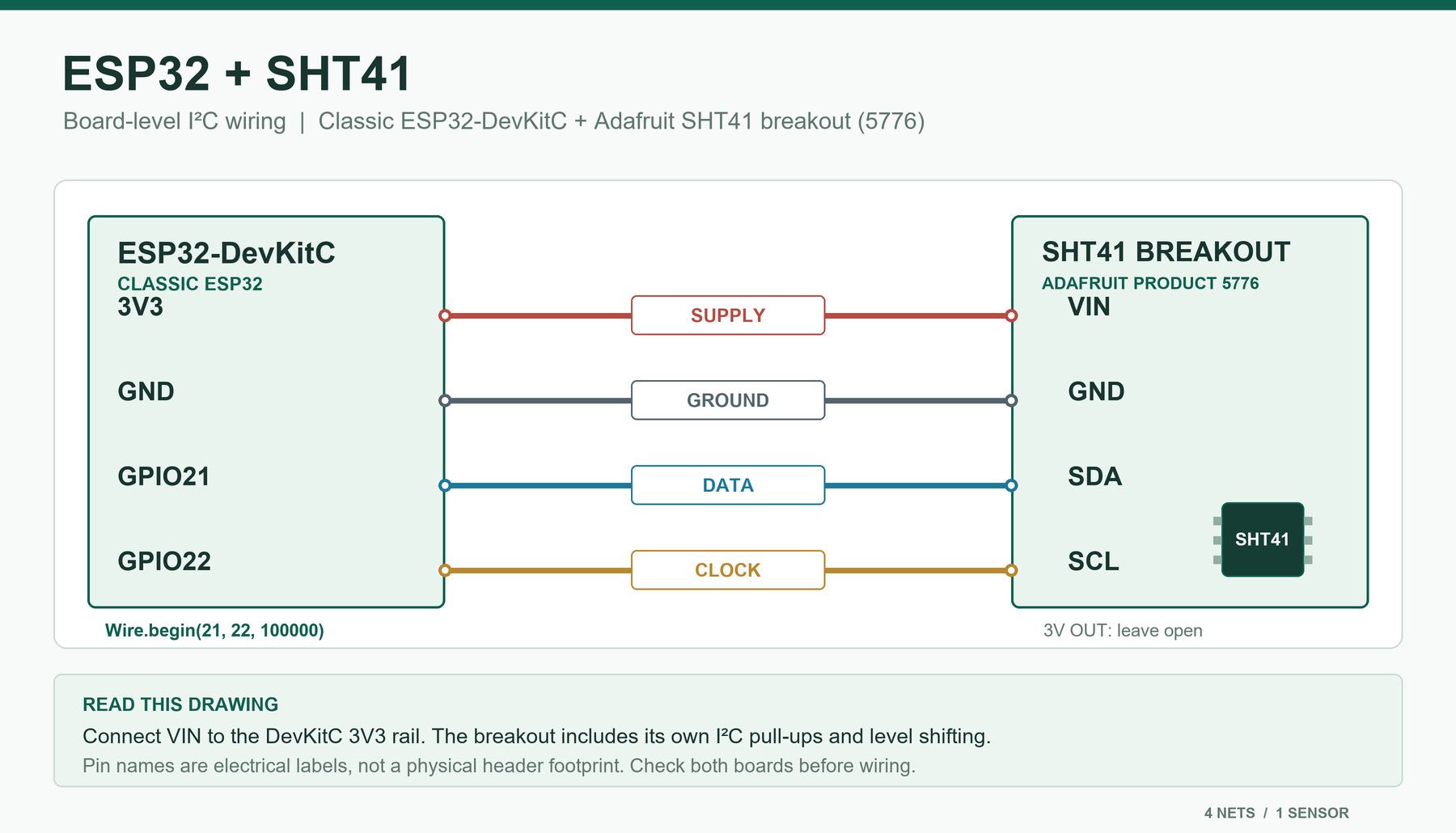
Check that:
- SDA connects to SDA and SCL connects to SCL.
- The sensor board and ESP32 share ground.
- The breakout's pull-ups connect to a voltage suitable for both devices.
- The GPIO numbers match the actual ESP32 board.
Reconnect USB power after checking the wiring. See Adafruit's breakout pinout and Espressif's Arduino I²C pin guidance.
Step 2: Prepare Arduino IDE
- Install Arduino IDE and add the ESP32 board package using the Espressif installation instructions.
- Connect the ESP32 with a USB data cable.
- In Tools → Board, select the board that matches your ESP32.
- In Tools → Port, select the port associated with the board.
- After uploading a sketch, open Tools → Serial Monitor and set the baud rate to 115200.
If no serial port appears, check the USB cable, USB connection and any driver requirements for your development board.
Library setup: both sketches use Wire, which comes with the ESP32 board package. No separate SHT41 library installation is needed.
Step 3: Scan the I²C bus
The named Adafruit SHT41 breakout uses the 7-bit address 0x44. Start with a scan to check whether a device acknowledges that address. Both sketches set the I²C clock to 100 kHz; change the pin definitions if your ESP32 board uses different SDA/SCL pins.
Upload this scanner as a separate sketch:
#include <Wire.h>

constexpr int SDA_PIN = 21;  // Classic ESP32 DevKit
constexpr int SCL_PIN = 22;

void setup() {
  Serial.begin(115200);

  if (!Wire.begin(SDA_PIN, SCL_PIN, 100000)) {
    Serial.println("I2C initialization failed.");
    while (true) {
      delay(1000);
    }
  }

  delay(10);
  Serial.println("Scanning I2C bus...");

  unsigned int found = 0;

  for (uint8_t address = 1; address < 127; ++address) {
    Wire.beginTransmission(address);
    uint8_t status = Wire.endTransmission();

    if (status == 0) {
      Serial.print("Device acknowledged at 0x");

      if (address < 0x10) {
        Serial.print("0");
      }

      Serial.println(address, HEX);
      ++found;
    }
  }

  if (found == 0) {
    Serial.println("No I2C devices acknowledged.");
  } else {
    Serial.println("Scan complete.");
  }
}

void loop() {
}
Open Serial Monitor at 115200 baud and check the scanner output:
0x44appears: a device acknowledged at that address. Continue to the measurement sketch.- No device appears: check supply voltage at the breakout, common ground, SDA and SCL wiring, pull-ups and the GPIO definitions.
- A different address appears: identify the device and check the exact sensor ordering code and breakout documentation.
What the scan proves: a device acknowledged an address. The next sketch checks whether a complete measurement can be read with valid CRCs.
Step 4: Read temperature and humidity
Once the scanner finds 0x44, replace the scanner sketch with the measurement sketch below. It sends 0xFD, waits for conversion and reads the six-byte response shown in this table.
| Response bytes | Meaning |
|---|---|
| 0–1 | Raw temperature |
| 2 | Temperature CRC |
| 3–4 | Raw relative humidity |
| 5 | Humidity CRC |
The sketch verifies each CRC before converting and printing the readings.
#include <Wire.h>

constexpr uint8_t SHT41_ADDRESS = 0x44;  // SHT41 breakout, 7-bit address
constexpr int SDA_PIN = 21;              // Classic ESP32 DevKit
constexpr int SCL_PIN = 22;
constexpr uint32_t I2C_FREQUENCY = 100000;

uint8_t sht41Crc(const uint8_t *data, size_t length) {
  uint8_t crc = 0xFF;

  for (size_t i = 0; i < length; ++i) {
    crc ^= data[i];

    for (uint8_t bit = 0; bit < 8; ++bit) {
      if (crc & 0x80) {
        crc = (uint8_t)((crc << 1) ^ 0x31);
      } else {
        crc = (uint8_t)(crc << 1);
      }
    }
  }

  return crc;
}

bool readSht41(float &temperatureC, float &humidityRH) {
  // Start a high-repeatability measurement.
  Wire.beginTransmission(SHT41_ADDRESS);
  Wire.write((uint8_t)0xFD);

  uint8_t status = Wire.endTransmission();

  if (status != 0) {
    Serial.print("SHT41 command failed; I2C status: ");
    Serial.println(status);
    return false;
  }

  // Wait for the sensor to complete the measurement.
  delay(10);

  uint8_t received = Wire.requestFrom(SHT41_ADDRESS, (uint8_t)6);

  if (received != 6) {
    Serial.print("Incomplete SHT41 response; bytes received: ");
    Serial.println(received);

    while (Wire.available()) {
      Wire.read();
    }

    return false;
  }

  uint8_t data[6];

  for (uint8_t i = 0; i < 6; ++i) {
    data[i] = (uint8_t)Wire.read();
  }

  if (sht41Crc(&data[0], 2) != data[2]) {
    Serial.println("Temperature CRC check failed.");
    return false;
  }

  if (sht41Crc(&data[3], 2) != data[5]) {
    Serial.println("Humidity CRC check failed.");
    return false;
  }

  uint16_t rawTemperature = ((uint16_t)data[0] << 8) | data[1];
  uint16_t rawHumidity = ((uint16_t)data[3] << 8) | data[4];

  temperatureC = -45.0f + 175.0f * rawTemperature / 65535.0f;
  humidityRH = -6.0f + 125.0f * rawHumidity / 65535.0f;

  // Limit the displayed value to the physical RH range.
  if (humidityRH < 0.0f) {
    humidityRH = 0.0f;
  }

  if (humidityRH > 100.0f) {
    humidityRH = 100.0f;
  }

  return true;
}

void setup() {
  Serial.begin(115200);

  if (!Wire.begin(SDA_PIN, SCL_PIN, I2C_FREQUENCY)) {
    Serial.println("I2C initialization failed. Check the selected pins.");

    while (true) {
      delay(1000);
    }
  }

  // Allow a normally powered sensor time to start.
  delay(10);
  Serial.println("SHT41 measurement started.");
}

void loop() {
  float temperatureC;
  float humidityRH;

  if (readSht41(temperatureC, humidityRH)) {
    Serial.print("Temperature: ");
    Serial.print(temperatureC, 2);
    Serial.print(" °C   Humidity: ");
    Serial.print(humidityRH, 2);
    Serial.println(" %RH");
  } else {
    Serial.println("Measurement unavailable; retrying.");
  }

  delay(2000);
}
What success looks like: at 115200 baud, Serial Monitor prints temperature in °C and humidity in %RH. The sketch prints readings only after both CRC checks pass. If you get an error instead, use the matching symptom in the troubleshooting table. The example repeats the measurement every two seconds.
The displayed humidity is limited to 0–100% RH. If your application needs to investigate behavior near the range limits, retain the calculated value before clamping as a separate diagnostic value.
Step 5: Check readings in the finished assembly
Receiving data is the first milestone. Now check whether the sensor measures the intended air after installation. Compare it with a suitable reference under the same operating conditions.
Compare three assembly conditions: keep the sampling interval and reference arrangement consistent, and let each setup settle.
- Outside the enclosure: read the sensor away from obvious heat sources.
- Enclosure open: mount the sensor in its intended position and repeat the reading.
- Enclosure closed: operate the complete product normally and repeat the reading.
- Compare the results: investigate any change before applying a software offset.
If the reading changes after assembly, inspect the air path, nearby electronics and enclosure materials before applying a fixed software offset.
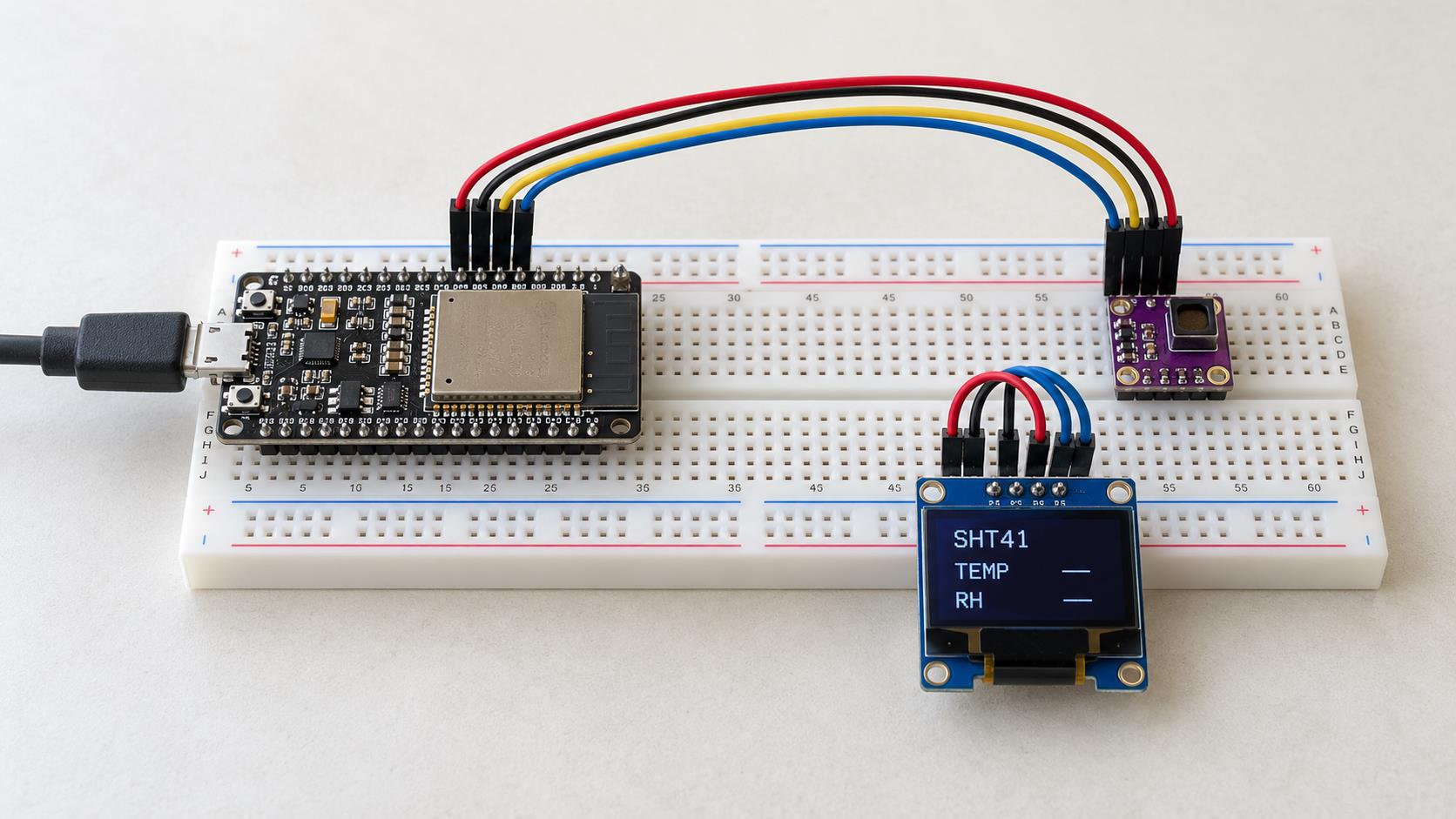
The OLED in this prototype is an optional display and needs separate code. The supplied sketches use Serial Monitor.
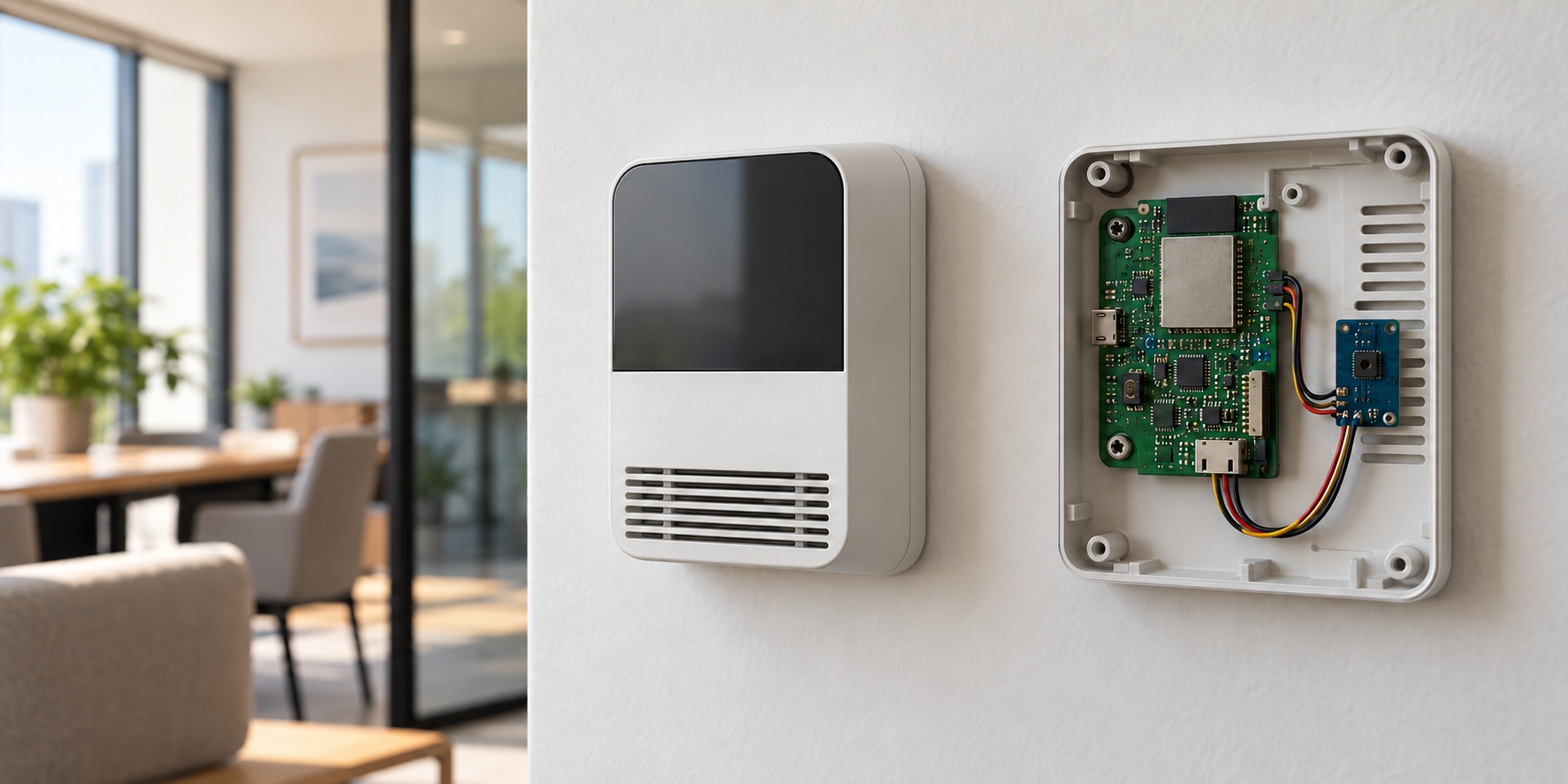
For more detail on sensor placement and airflow, see SHT40 Enclosure Design: Airflow, Protection and Response Time.
Why does the sketch wait 10 ms?
The SHT4x datasheet specifies a high-repeatability measurement duration of 6.9 ms typical and 8.3 ms maximum. This sketch waits 10 ms after sending 0xFD before requesting the response.
The sensor also needs time to complete power-up. If your design switches the sensor supply separately from the ESP32, wait until the supply is stable and the sensor has completed its power-up interval before sending a command.
The example uses a blocking delay(10). A design that needs to perform other work during conversion can use a nonblocking state machine while maintaining the required wait.
Why can a read request return no data?
If a read returns no bytes, check two timing rules:
- Wait before reading. During conversion, the SHT41 responds to a read request with a NACK. It does not hold the bus using clock stretching.
- Start a new measurement for each sample. A result is available for one acknowledged read. Send a new
0xFDcommand and wait before requesting the next result.
If the scanner finds 0x44 but measurement reads fail, check this sequence alongside the wiring. See SHT4x datasheet, section 4.1.
How to troubleshoot an SHT41 on ESP32
Find the symptom that matches your setup and follow its next action. Work from power and wiring → address response → complete read → CRC → measurement conditions; stop at the first stage that fails.
| What you see | First checks | Next action |
|---|---|---|
| No I²C device found | Supply, ground, SDA, SCL, pull-ups and GPIO selection | Measure the sensor board supply and repeat the scan. |
0x44 appears, but the command fails |
Address and the pins used in the measurement sketch | Confirm that the measurement sketch uses the same wiring and pins as the scanner. |
| Fewer than six bytes received | Command success, conversion wait and bus connection | Verify the 0xFD command and wait; inspect wiring and pull-ups. |
| Temperature or humidity CRC fails | Loose connections, bus loading and pull-up voltage | Check the electrical connection and repeat the read with both CRC checks enabled. |
| Valid readings appear but seem too warm | Nearby electronics and sensor position | Move the sensor away from heat sources and compare it with a suitable reference. |
| Humidity responds slowly in the enclosure | Air path and placement | Check whether ambient air reaches the sensing opening. |
| Serial Monitor is empty | Baud rate, port, USB cable and upload | Select 115200, verify the port and confirm that the sketch uploaded. |
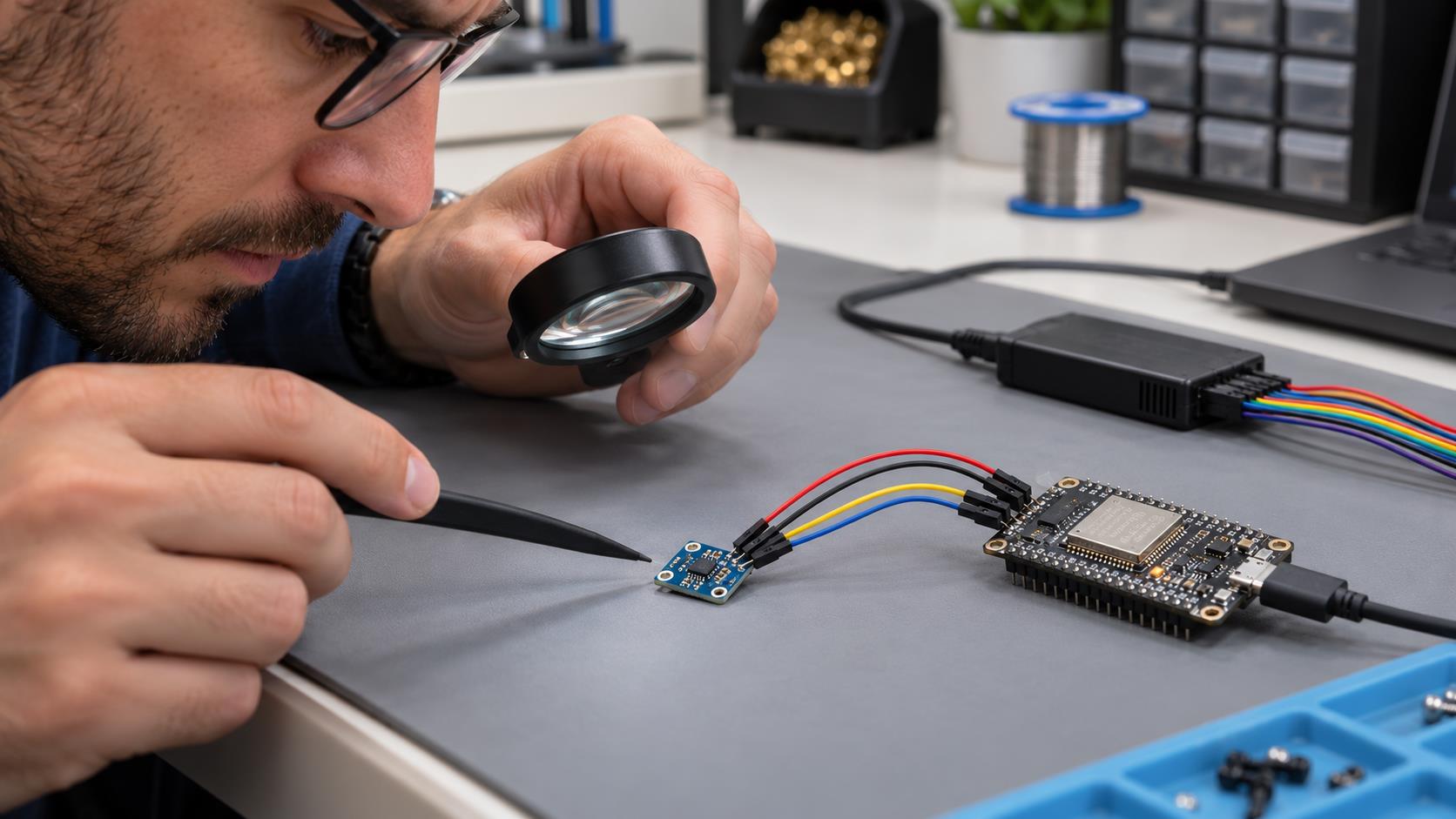
What does a passing CRC tell you?
A passing CRC means the received data word passed its checksum. It helps detect transfer errors between the sensor and ESP32.
Quick CRC check: input bytes 0xBE 0xEF should produce 0x92, using initial value 0xFF and polynomial 0x31. This datasheet test vector lets you check the CRC function independently of the bus.
A valid transfer does not establish measurement accuracy. Sensor placement, enclosure airflow and the reference instrument still need separate checks.
Why does Arduino use 0x44 instead of 0x88?
0x44 is the 7-bit I²C address for the named SHT41 breakout. Arduino Wire accepts the 7-bit address and handles the read/write bit during the transaction.
Use the address documented for the exact sensor ordering code on your board.
Designing a PCB around the bare SHT41
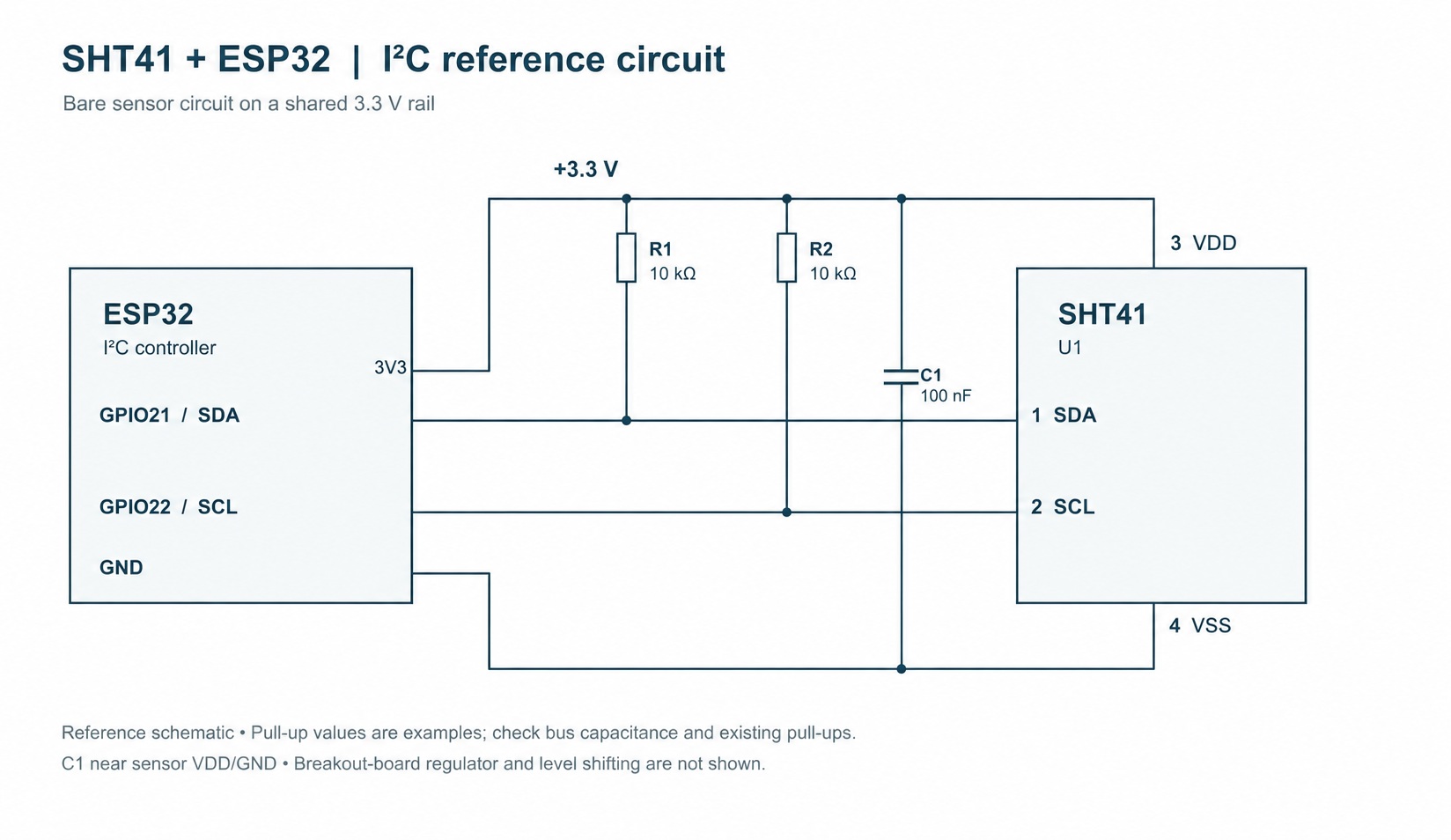
The drawing below is a bare-chip PCB reference on a shared 3.3 V rail. It is a different circuit from the regulated Adafruit breakout.
- Supply and ground: keep the chip supply within 1.08–3.6 V and provide a common ground.
- Decoupling: the drawing shows a 100 nF capacitor between VDD and VSS near the sensor. Treat this as the circuit shown here; check the requirements of your actual PCB.
- Bus pull-ups: choose SDA/SCL resistors for the rail voltage, bus capacitance and target speed. The shown 10 kΩ values are starting points; include any other pull-ups on the bus in the calculation.
The SHT4x datasheet, section 5.4 identifies the bare-chip pins as 1 SDA, 2 SCL, 3 VDD and 4 VSS. Use its package drawing and pin-1 indicator to orient the physical part; the box below shows electrical connections, not the package top view.
The Adafruit breakout already contains regulation, level shifting and pull-ups. Use the earlier four-wire connection table for that board.
Frequently asked questions
Can I use the sketches with an ESP32-S3 or ESP32-C3?
The SHT41 measurement sequence can be adapted to other Arduino-compatible ESP32 boards. Select the correct board in Arduino IDE, choose available SDA and SCL pins, and change the pin definitions in both sketches to match the wiring.
Can I power an SHT41 from 5 V?
The SHT41 chip is specified for a maximum operating supply of 3.6 V. A particular breakout may accept 5 V at its input if its design includes suitable regulation. Check that board's documentation and its I²C voltage requirements before connecting it.
Is an I²C scan enough to verify the sensor?
No. Follow the scan with a measurement command, a complete six-byte read and both CRC checks. Then compare the measurement with an appropriate reference in the intended application.
Can I use a sensor library instead?
Yes. Sensirion provides an SHT4x Arduino library. Check its installation instructions, dependencies and example configuration for your board and sensor address.
From a working sketch to a product decision
A passing CRC and plausible serial output establish a useful bring-up point. Before release, verify the selected board's power rail, bus loading, sensor position, airflow, error recovery and assembled-product accuracy under the intended conditions.
Selecting a sensor for a new design? NYFEA FHT41 is a candidate for evaluation. Compare its published supply limits, I²C command behavior, timing, CRC, accuracy conditions, package and pinout against your design requirements. Similar function or address does not establish firmware or drop-in compatibility.
Consider FHT41 for your design · Discuss an engineering evaluation